Search prototype
A search design, built as working software.
A search over films, books and the characters, places and things in them. I designed it and built all three parts: the content, the index and the interface.1
Project facts
- Role
- Designer and sole builder
- When
- January 2026, five days1
- Built
- Content pipeline, indexer, interface
- Content
- Nearly a thousand entries2
- Stack
- React, Vite, Mantine, MiniSearch, OpenAI
- Index
- One 3 MB file, no server
- Tests
- 18 on the indexer
- Code
- Public on GitHub
3.6k
links between entries.
915
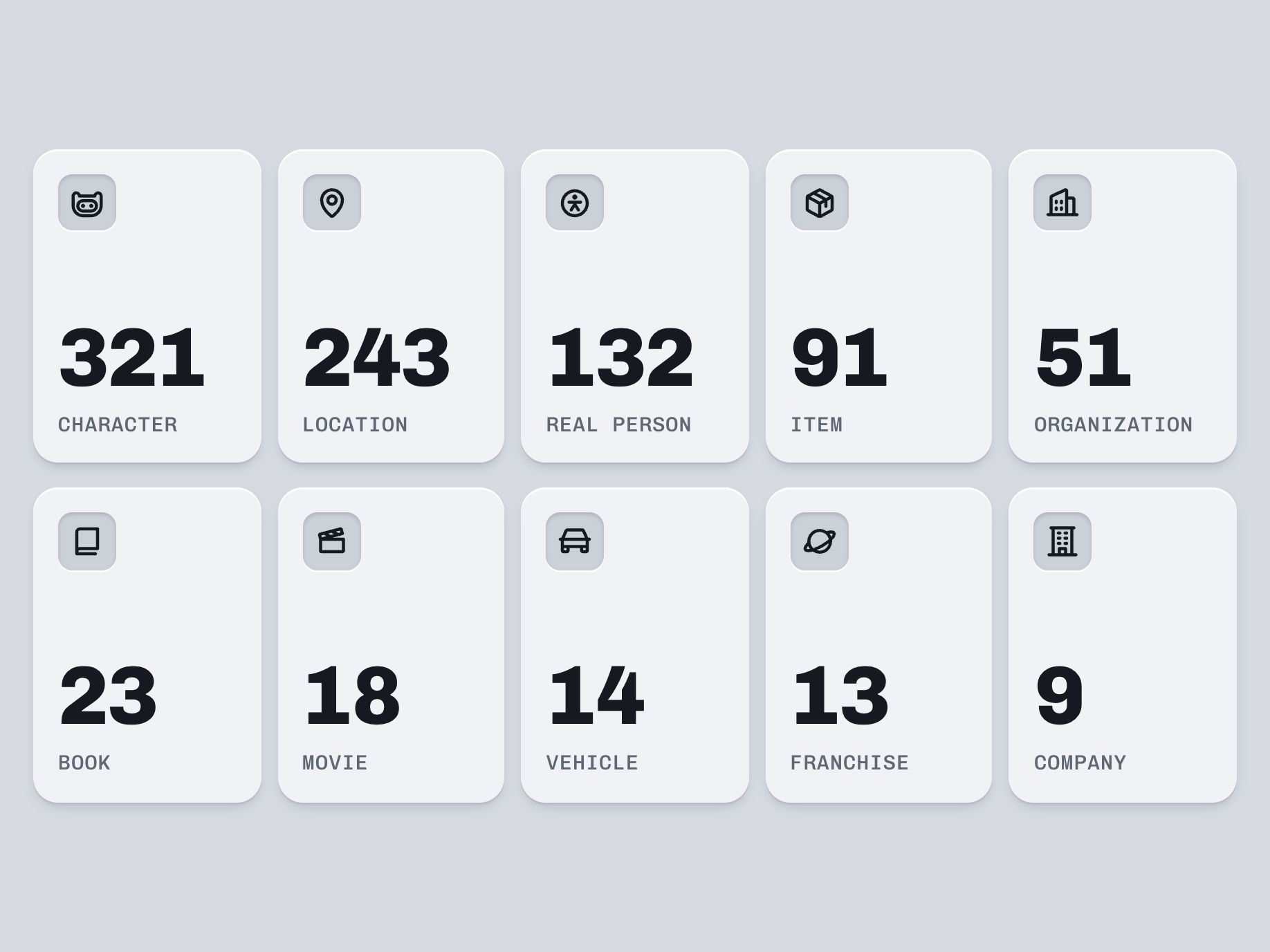
entries, in ten kinds.
10
ms response times.
Get to know the prototype.


The problem
I built the search I'd designed at Klue.
In late 2024 I led the UI design of a new search at Klue: one card for every kind of content, and filters that could keep something, leave it out, or take either.3 Expression through software, especially for dynamic concepts, is much stronger than Figma files when communicating with engineers. In January 2026, after I'd left Klue, I built the design as working software, on content of my own.
See the design at Klue
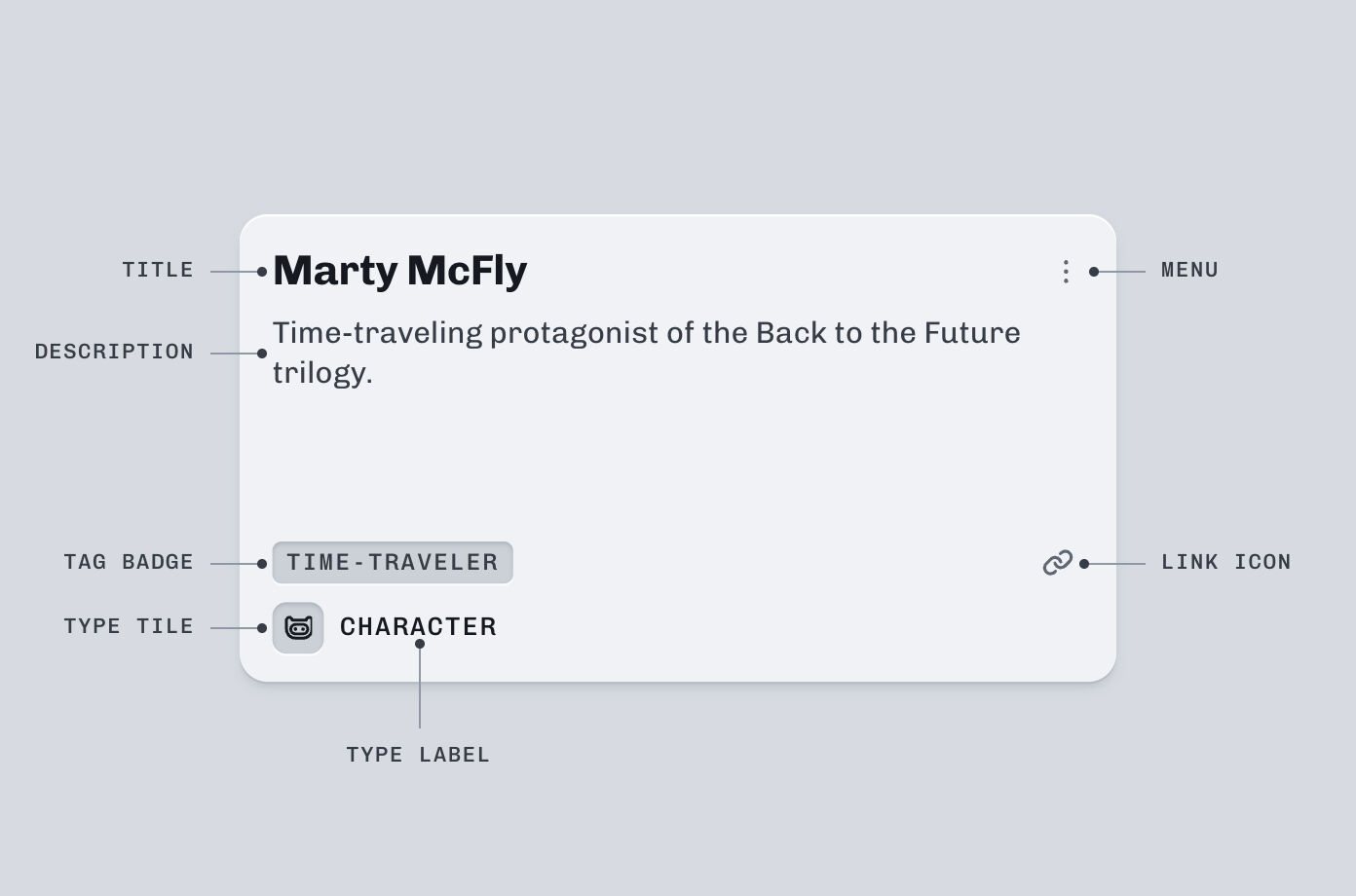
The design at Klue. A search for Cirrus: a company, a product, a battlecard, a sales call and more, each in the same card.
What I owned
I designed it and built all of it.
I carried the design over and built the content, the index and the interface, alone.4
-
The design.
I carried the search I'd led at Klue into a working interface.
-
The content.
I chose the titles, wrote the schema and the prompts, and wrote the scripts that fixed the output.
-
The index.
I built the indexer: the two-hop links, the inherited genres and tones, the search weights and the tests.
-
The interface.
I built the cards, the filters, the sort and a theme of my own.
The solution
Every filter offers only what's left.
Every filter shows only the options that still have results. Pick one and the rest recount, so nothing you can pick leads to zero results.5 I pulled the interface together in a React and Vite app, with Mantine and a custom design system theme.


A match in an entry's name ranks highest, then one in its other names, so Emmett finds Doc Brown. Then come the names of the entries it's linked to, then its tags and description.
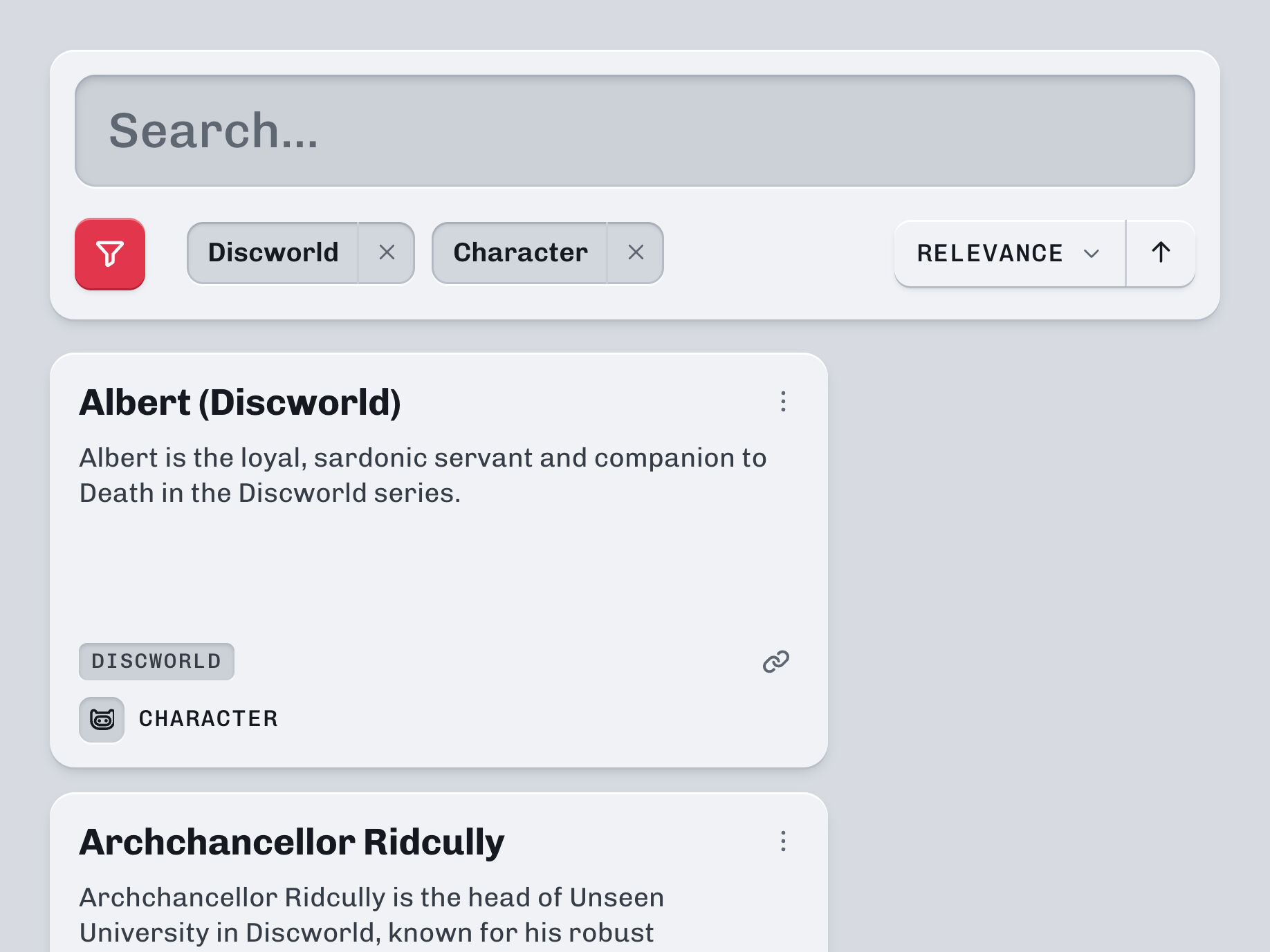
Filters narrow the results by type, genre, era, tone, theme, franchise, role and trait. Choose Sherlock Holmes, and Type offers only the five kinds of entry Holmes has.
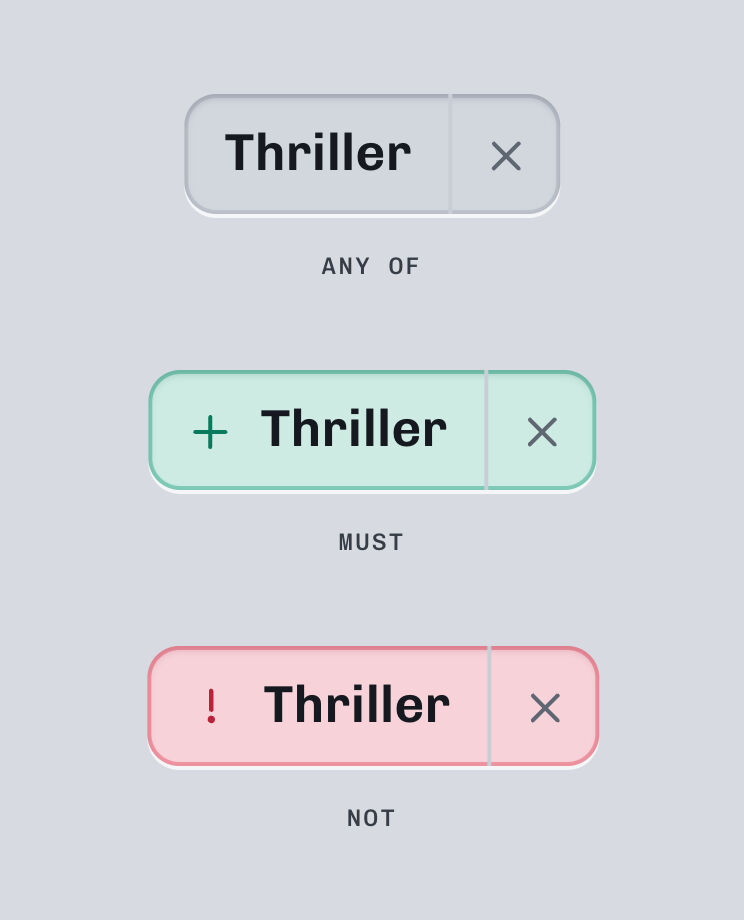
Click a chosen filter to change its state: plain is any of, + is must, ! is not.
Sort by relevance, name or type, in either direction.

States cycle. Clicking changes the state type, and results update instantly.
// Check exclude filters
for (const filter of excludeFilters) {
  if (values.has(filter.tag.toLowerCase())) return false
}

// Check include (MUST) filters
for (const filter of includeFilters) {
  if (!values.has(filter.tag.toLowerCase())) return false
}

// Check none (OR) filters - must match at least one
if (noneFilters.length > 0) {
  const matchesAny = noneFilters.some((f) => values.has(f.tag.toLowerCase()))
  if (!matchesAny) return false
}src/hooks/useSearch.ts in the search repository, lines 133–147.Underneath, part one: the content
First, something to search.
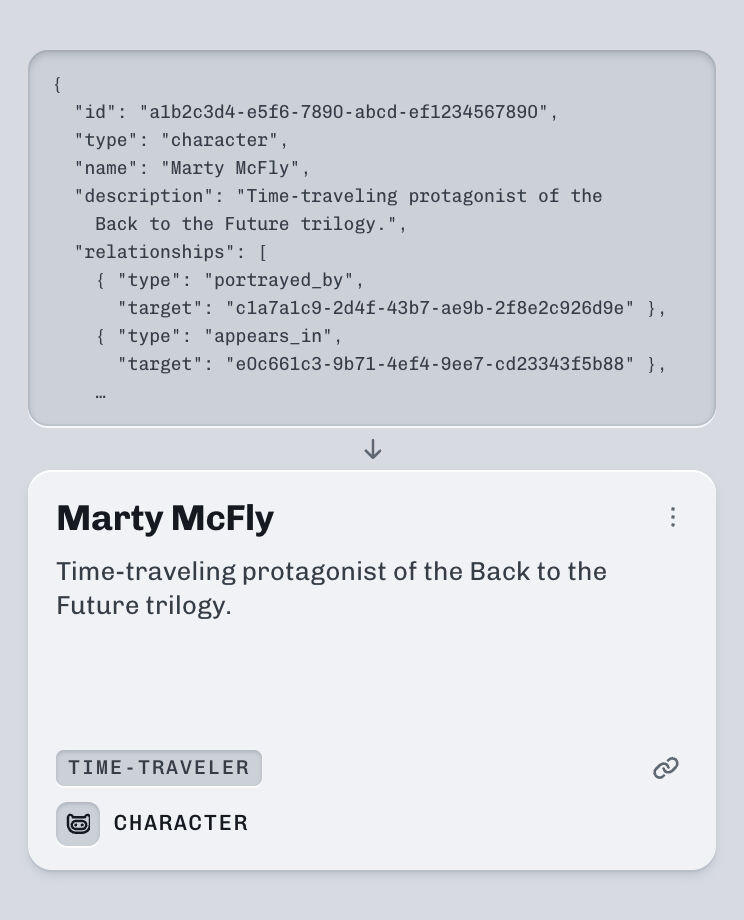
I needed a base of quality content that I could design and work with. I started from a list of films and books I'd read or watched. For each title, I generated its characters, places, things, groups and people, then an entry for each one, linked to the entries that already existed. That came to nearly a thousand entries.2

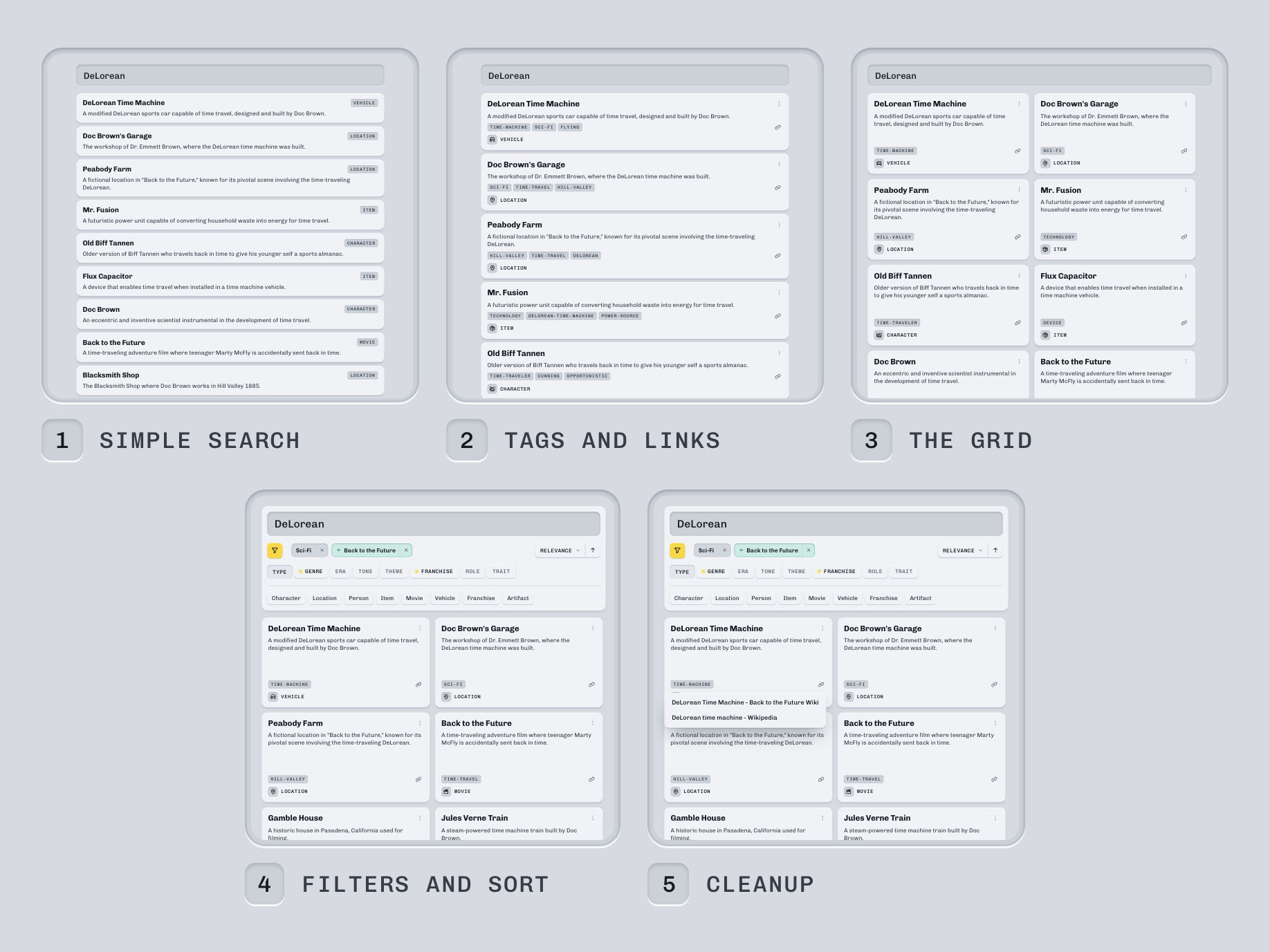
The pipeline. Six steps, from a title to linked entries.
Underneath, part two: the index
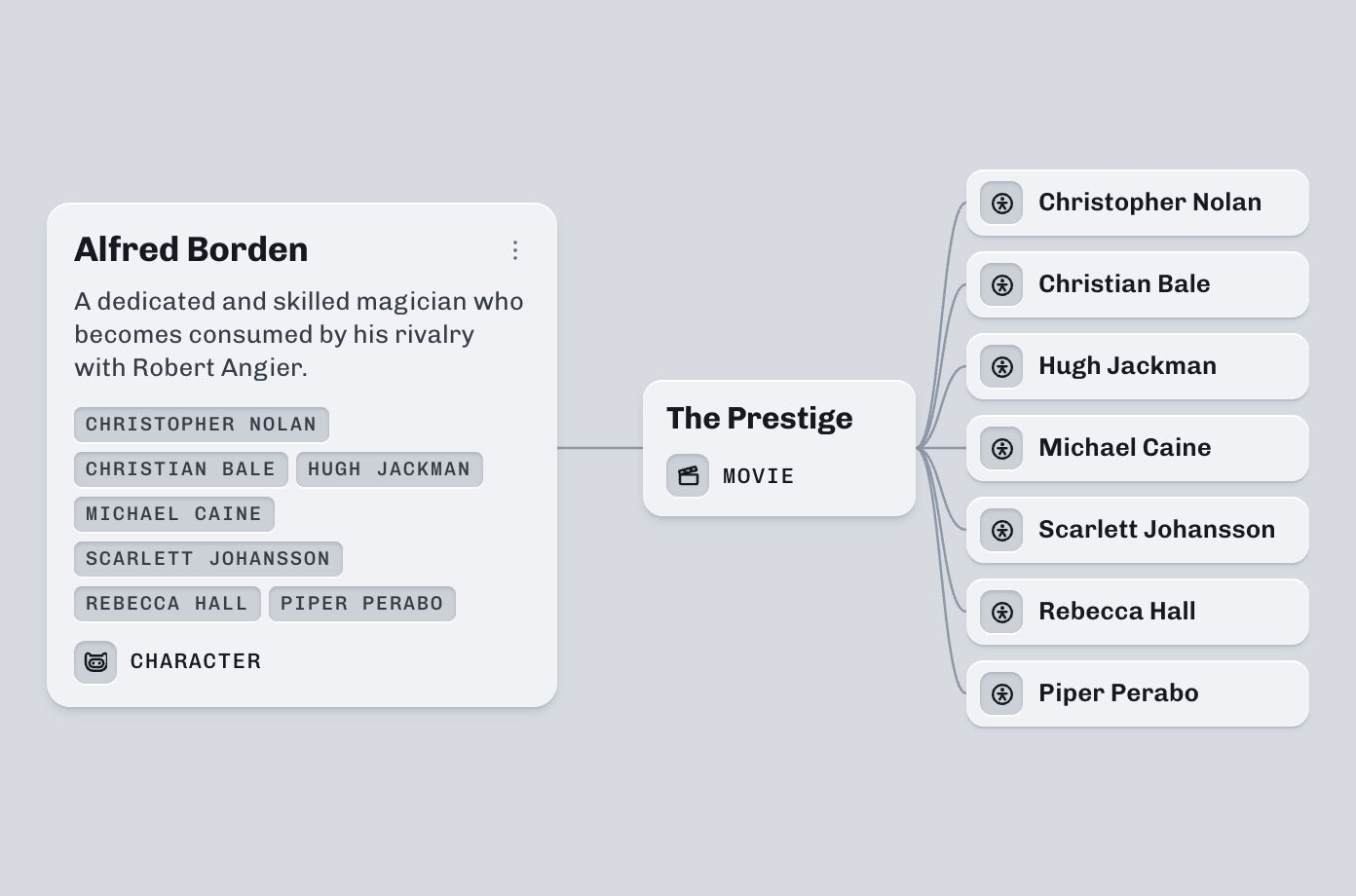
Search for Nolan, and his characters come up.
Then I created an indexer to map all of the content and provide search functionality. When it builds the index, it follows each entry's links two steps out, so a character carries the names of its film's director and cast. Characters, places, things and vehicles also take the genre, era and tone of the films and books they're in, so you can filter characters by genre.

The indexer's test page. Nolan, characters only, and + Sci Fi, a genre the characters take from their films.
Tough calls
Six calls shaped the build.
Fix entries, don't regenerate.
When generated links came out wrong, I wrote a small script for each kind of error. Generating again would have cost more and brought new errors.
Only some entries inherit.
Characters, things, vehicles and places take genre, era and tone from films and books. Nothing else does, or every entry would get every genre.
No buttons for filter states.
A chosen filter changes state when you click it, instead of carrying three controls of its own.
The smaller model.
I compared two OpenAI models' entries side by side and built the content on the smaller one, for efficiency and cost.
New content.
Deliberately chose to not use the original content it was designed against.
A chat panel.
I built one that turned a sentence into a search, or answered questions about the results. I cut it because it didn't really serve the demonstration of filters.
The outcome
A design that never launched, working in five days.
The search I designed at Klue never launched while I was there.3 Five days after I started, it ran on nearly a thousand entries, every filter recounting as you choose, with no server behind it.1 All four repositories are public, so an engineer can read how it works, not a spec of it.6
Try the prototype3.6k
links between entries.
915
entries, in ten kinds.
10
ms response times.
My take
Some designs are meant to move.
A filter that recounts as you choose is hard to explain in frames, and easy to show in a search you can use. These days, getting something working, comprehensive and rich outshines static design files.
Questions? Answers.
-
Is this Klue's search?
It's the search design I led at Klue, built after I left, on my own content. No Klue data or code is in it. The Klue side is on the Search page.
-
Why films and books?
They came from a list of films and books I'd read or watched. Each title brought its characters, places and things, with links between them for the index to follow.
-
Where did AI come in?
In the content. From my prompts, an OpenAI model found the characters, places and things in each title, wrote each entry and added reference links. The chat panel used one too, and was left out.

Clausage.